Autolink Pro
- 3.4
- Rating
- 100.00K
- Installs
- Free
- Price
 Analysis by App-foxy
Using a phone in a vehicle can be convenient, but only when the connection feels predictable. That is the space where Autolink Pro tries to help: it is an Auto & Vehicles app built around combining a vehicle with a mobile phone. I approached it as a practical driving companion rather than as a general phone utility, and that distinction matters. Its usefulness depends heavily on whether your vehicle and phone work smoothly with its connection method.
The app is free, aimed at everyone, and available for devices running Android 5.0 or later. It comes from 凌阳成芯科技(成都)有限公司, and the current release is version 1.0.36. Those details make it approachable for people using an older Android phone, although compatibility in a vehicle is about more than the operating system alone. A phone can meet the minimum requirement and still need careful setup before the in-car experience feels reliable.
My overall impression is that this is a focused bridge rather than a complete replacement for every driving tool. It makes the most sense when your vehicle already expects this kind of phone integration. If you are looking for a way to connect a compatible car display and phone without adding a separate navigation or media system, it is worth investigating. If you want a universal dashboard app that works identically in every car, I would be more cautious.
You May Also Like

 Google Keep - Notes and lists
Google Keep’s Quiet Growth Shows the Appeal of Simpler Notes
As mobile work gets busier, Google Keep keeps winning a simple contest: capture a thought quickly, find it later, and get on with the day.

 Blood Strike: 2.5 Anniversary
Blood Strike’s Loadouts Turn Every Drop Into a Tactical Gamble
A close look at Blood Strike’s custom loadouts: how fast access to signature weapons reshapes its battle royale rhythm, rewards preparation, and narrows the gap between fights.

 Pandora - Music & Podcasts
Pandora’s Music Is Easy to Start, but Harder to Recover
Pandora’s strength is its low-effort path from a seed to a station. Its weak spot is how much confidence it asks you to place in connection, setup, and quiet recovery.

 8 Ball Pool
 Is Built on Rivalries, Rematches, and Routine
A close look at the rivalries, rematches, shared routines, and unanswered safety questions that turn a quick pool match into a persistent mobile community.

 Samsung Music
’s Quiet Strength Is Playing What You Already Own
Its reach comes less from spectacle than from dependable access to a personal library. That simplicity is both the app’s strongest retention engine and its ceiling.

 AccuWeather: Weather Radar
AccuWeather Review: A Quick, Clear Forecast for Everyday Decisions
For everyday plans, the best forecast is the one you can understand quickly. AccuWeather makes rain timing, radar, and local conditions easy to act on, with a few trade-offs.
More From Our News Desk



How Autolink Pro fits into everyday driving
I find the most useful way to judge Autolink Pro is to look at how it changes a shared car routine, not just whether one phone connects once. In this section, I focus on the small habits that help several drivers avoid confusion and keep setup out of the way once the trip begins. That also leads naturally to the question of where each person’s phone settings and responsibilities should begin and end.
A simple idea with a very specific purpose
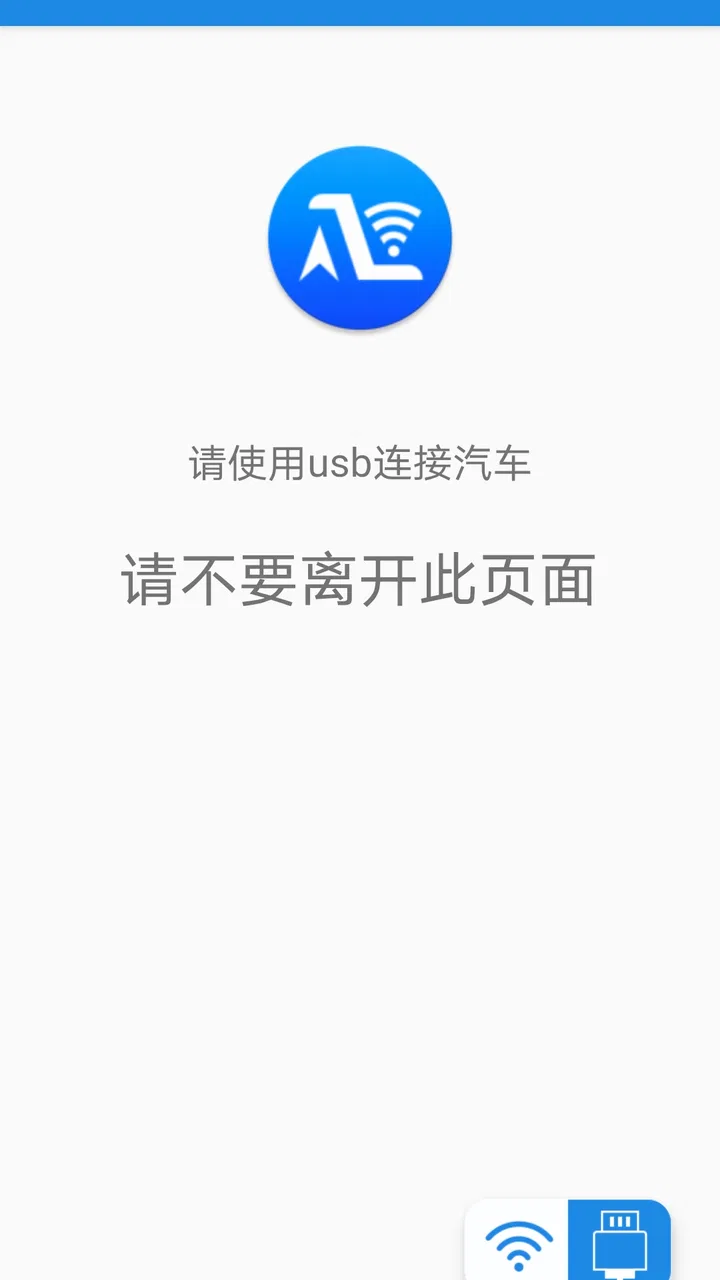
The central appeal is straightforward: the phone and the vehicle are meant to work together instead of operating as two unrelated screens. In a normal commute, that can mean preparing the phone before moving off, establishing the connection, and then relying on the vehicle side for a more suitable in-car view. The value is not in having another app icon on the phone. The value is in reducing the gap between the phone you already use and the vehicle interface you already have.
That focus separates it from ordinary navigation apps. A navigation app can provide directions directly on the handset, but it does not necessarily create a vehicle-oriented connection. A Bluetooth audio connection, meanwhile, may handle sound or calls without offering the same kind of screen relationship. Autolink Pro sits between those familiar alternatives, and its success depends on whether that bridge is supported by the equipment in your car.
I would describe the experience as practical rather than polished in a universal sense. There is no reason to install it simply because it belongs to the Auto & Vehicles category. You install it because you have a specific vehicle-phone pairing problem to solve. That is an important buying decision: the app can be useful in the right setup, but its purpose is narrower than a standalone map, music, or hands-free calling application.
What a realistic commute looks like
Imagine leaving work with your route already planned on your phone. Instead of holding the phone or repeatedly checking it at traffic lights, you prepare the connection while the vehicle is parked. Once the phone and vehicle recognize one another, the car becomes part of the workflow. You can then keep the handset out of your hand and concentrate on driving. That small change is where the app’s everyday value becomes easier to understand.
The best habit is to treat connection as part of the pre-drive routine, not something to troubleshoot after pulling onto the road. I would open the app, confirm the phone is ready, and check that the vehicle has selected the expected input before moving. This is a more useful approach than assuming that a previous successful connection guarantees the next one will be immediate.
There is also a practical trade-off. A phone-based vehicle link can be more flexible than buying a dedicated navigation device, but it introduces another point where things can go wrong. The phone must be available, the vehicle must accept the connection, and the driver must avoid interacting with the handset while moving. For short familiar journeys, that preparation may feel unnecessary. For regular commuting, it can become a worthwhile routine.
Who will gain the most from it
I see the strongest fit for drivers whose vehicles are designed to cooperate with a companion phone application and who want a low-cost way to use that relationship. It may also suit households where one person changes phones or uses the vehicle regularly and wants a repeatable connection process instead of relying only on basic Bluetooth pairing.
It is less attractive for someone who only needs occasional music streaming or hands-free calls. Those tasks are often handled by the phone and vehicle without an additional bridge app. It is also not my first recommendation for a driver who wants a completely independent system that continues to provide its main functions without a phone. In that case, a built-in navigation system or dedicated hardware may be the better choice.
Another group that should think carefully is anyone expecting a feature-rich driving platform. The name and category may suggest a broad collection of vehicle tools, but the confirmed purpose is the combination of vehicle and mobile phone. I would not choose it on the assumption that it replaces maintenance tracking, insurance services, fuel logging, parking tools, or every form of navigation. Its strength is the connection itself.
What the current release tells me
Version 1.0.36 shows that the app has moved beyond its earliest release, which arrived on September 9, 2020. I read that as evidence of continued maintenance rather than proof of a particular new feature. A version number can indicate that the developer has continued working on the product, but it does not by itself explain whether the changes affect connection stability, device support, interface design, or something less visible.
That distinction is important for existing users. Someone already relying on the app should update with a little care: use a parked vehicle, test the connection before an important trip, and avoid changing several parts of the setup at once. If a new release changes behavior, isolating the change makes troubleshooting easier. I would also keep a backup plan, such as knowing how to use the phone or the vehicle’s original controls without the app.
The product has reached a meaningful audience, with more than one hundred thousand installs. Its average rating is 3.4 from roughly eight hundred ratings, alongside dozens of written reviews. I would interpret that combination as mixed but useful evidence: enough adoption to show that the app serves real users, yet not a signal that every phone-and-car combination will be effortless. Ratings are particularly important here because connection apps can behave differently across hardware combinations.
For a new user, the current release should be approached as a maintained tool with a specific job, not as a guarantee of universal compatibility. For an existing user, the update history is encouraging, but I would judge each release by the result in the actual vehicle. A connection that works consistently is more valuable than a new-looking interface or a higher version number.
Small workflow choices that make a difference
One useful adjustment is to separate pairing from driving. Do the first setup while parked, with the phone unlocked and the vehicle stationary. That gives you time to identify whether the problem is the app, the phone’s connection settings, or the vehicle input. Trying to solve all three while waiting at a junction is both frustrating and unsafe.
A second tip is to use a consistent order every time. Start the vehicle, make sure the phone’s relevant connection is available, open the app, and then select the vehicle-side input. If you alternate the order randomly, an intermittent problem becomes much harder to understand. Consistency is especially valuable in a shared vehicle where different drivers may otherwise create different pairing states.
A third insight is to judge the app by recovery, not only by first connection. The important question is not simply whether it works once. Ask what happens after the vehicle is restarted, the phone is locked, or the connection is interrupted briefly. I would test those ordinary situations on a quiet day because they reveal whether the app fits your routine better than a successful initial demonstration does.
Finally, avoid treating the phone screen as the primary driving interface if the vehicle connection is meant to provide a safer in-car view. Prepare before departure, place the phone securely, and use voice or vehicle controls where available. The app can help combine devices, but it cannot make handheld interaction safe during motion.
Where the experience can feel limited
The first limitation is the dependency on the surrounding hardware. A free app is not automatically a universal adapter. If the vehicle does not support the expected relationship, installation alone will not create it. This is the main reason I would check the vehicle’s documentation and test the setup before planning to depend on the app for a long journey.
The second limitation is troubleshooting clarity. When a vehicle-phone connection fails, several causes can look identical from the driver’s perspective: a disabled phone setting, a selected wrong input, a stale pairing, or a compatibility issue. The app may be the visible part of the problem even when the underlying cause is elsewhere. That is why a repeatable setup routine and a short test drive are more valuable than repeatedly pressing connect.
The third limitation is that the app should not be mistaken for a complete replacement for the vehicle’s own controls. If you need a system that remains dependable when the phone battery is low, the handset is unavailable, or the connection drops, built-in vehicle functions have an advantage. A dedicated device may also be preferable for drivers who want one stable interface without relying on a particular phone.
There is a broader usability question too. The app is available to everyone by age rating, but that does not mean every driver will find the setup equally easy. People who are comfortable adjusting connection settings may get more from it than users who want a single-button experience. For a family vehicle, I would make sure every regular driver understands the safe connection routine rather than assuming the first person’s setup will suit everyone.
How it compares with familiar alternatives
Compared with using a phone alone, Autolink Pro offers the possibility of bringing the phone-and-vehicle relationship into the driving environment. The phone-only approach is simpler to start, but it can leave the driver relying on a small screen or handling the handset more than is sensible. The app’s advantage is therefore tied to integration, not to replacing the phone’s underlying services.
Compared with basic Bluetooth, the difference is one of scope. Bluetooth can be enough when all you want is audio or calls. A vehicle-linking app is more relevant when the car is intended to participate in the phone experience beyond sound. If your daily use never goes further than streaming music, I would avoid adding complexity just for the sake of having a dedicated connection app.
Compared with a built-in navigation system, the phone-based route is usually more adaptable because the phone is already part of your routine. The built-in system, however, can be more independent and may feel more consistent across drivers. My preference would depend on the vehicle: where the built-in system is outdated but the phone connection works well, this kind of app can be a sensible middle ground. Where the built-in system is already excellent, the extra layer may not justify itself.
Compared with a dedicated navigation device, the app avoids another piece of hardware and another screen to mount. The trade-off is that the phone remains central, so battery, connection, and compatibility become part of the experience. I would choose the app for convenience and existing equipment, not because it removes every technical dependency.
Questions I would settle before relying on it
The first question is whether an older phone can run it. The minimum Android requirement is 5.0, so the software threshold is broad. Still, I would not treat that as a promise that every older handset will connect equally well to every vehicle. Test the actual phone in the actual car, especially if the phone is used for work, emergency calls, or long trips.
The next question is whether it costs anything. The app is free, which makes testing less risky. Free installation does not remove the value of checking compatibility first, but it does make it easier to try the intended workflow without committing to a paid subscription or separate purchase.
Users also often wonder whether the app is suitable for children or a shared family device. Its content rating is Everyone, but the driving context still calls for adult setup and supervision. The rating describes access to the app; it does not replace safe driving habits or explain how a particular vehicle should be configured.
Another sensible question is whether an update will change an established setup. Because the current version is 1.0.36 and the app has been maintained since its initial release, I would keep it updated when practical, but test after updating. A quick parked check is enough to confirm that the vehicle still recognizes the phone and that the normal sequence remains familiar.
Finally, ask what you will do if the link fails. My answer would be to keep the vehicle’s normal controls available, avoid handling the phone while moving, and postpone troubleshooting until parked. That fallback mindset is not a criticism of this particular app; it is necessary for any system that connects a phone to a vehicle.
What I would watch in future use
For the product’s next stage, I would pay attention to consistency across different phones and vehicle systems, clearer recovery after a dropped connection, and setup guidance that helps users identify where a failure occurs. Those are the areas that determine whether a connection app becomes part of a daily routine or remains something people open only when experimenting.
I would also watch how the developer handles the balance between broader support and simple operation. Adding more compatibility can be valuable, but a crowded setup process would undermine the reason to use a bridge app in the first place. The best evolution would make the first connection easier while preserving a predictable routine for people who already depend on it.
My recommendation is therefore conditional but positive. If your vehicle is designed for this kind of phone integration, Autolink Pro is worth trying as a free, focused connection tool. Give it a proper parked setup, test reconnection before depending on it, and judge it by your real commute rather than by the installation process alone. If you need universal compatibility, independent navigation, or a system that works without a phone, choose the vehicle’s built-in tools or dedicated hardware instead.
In my experience, the app makes the most sense when it quietly disappears into the routine: connect before driving, use the vehicle interface, and stop thinking about the bridge. That is a modest goal, but an achievable one for the right setup. Its current version and established install base make it credible enough to test, while the middling rating is a useful reminder to keep expectations realistic. For compatible drivers, it can be a practical link between two devices they already own; for everyone else, it may simply add another layer to a problem that a simpler alternative already solves.
FAQs for Autolink Pro
01What is Autolink Pro and how does it work?
Autolink Pro is an innovative application designed to enhance your vehicle's connectivity. It works by linking your smartphone to your car, allowing for seamless integration of features like navigation, music streaming, and hands-free calls. The app utilizes Bluetooth or Wi-Fi to connect, ensuring a smooth experience on both Android and iOS platforms.
02Is Autolink Pro compatible with all car models?
Autolink Pro supports a wide range of car models, but compatibility can vary. It's advisable to check the app's compatibility list on the website or within the app store description before downloading. Some older car models may lack the necessary technology to fully utilize all features of the app.
03What features does Autolink Pro offer?
Autolink Pro offers an array of features including real-time GPS navigation, music streaming, hands-free calling, and vehicle diagnostics. It also includes features like voice control and customizable dashboards, making it a comprehensive tool for enhancing your driving experience. These features are designed to keep you connected while ensuring safety on the road.
04Are there any subscription fees or in-app purchases?
While Autolink Pro offers a free version with basic functionalities, there are premium features available through in-app purchases or subscription plans. These may include advanced navigation options, additional audio controls, and enhanced vehicle diagnostics. Pricing details are available on the app store listing or within the app itself.
05How secure is my data with Autolink Pro?
Autolink Pro prioritizes user privacy and employs robust security measures to protect your data. The app uses encryption to secure connections and data transfers, ensuring that your personal information remains confidential. It also complies with global data protection regulations, offering peace of mind while using the app.
Pros
- User-friendly interface for easy navigation.
- Seamless integration with various devices.
- Real-time updates and notifications.
- Highly customizable settings and features.
- Efficient customer support services.
Cons
- Occasional slow response times.
- Limited features in the free version.
- Requires stable internet connection.
- Some features need in-app purchases.
- Occasional compatibility issues.

Autolink Pro
Gallery